
diff options
| author | philw <dscr@duck.com> | 2025-01-13 18:15:13 +0100 |
|---|---|---|
| committer | philw <dscr@duck.com> | 2025-01-13 18:15:13 +0100 |
| commit | 07fe8b33f8844bbd5c35130484ddc78419e6d23d (patch) | |
| tree | 85a2de175c5ed8281a3af415975d0303c04a9e4a /README.md | |
| parent | 86598b431645895bd808eb2c15ba6b1eb4628a6c (diff) | |
| download | neovim-07fe8b33f8844bbd5c35130484ddc78419e6d23d.tar.gz neovim-07fe8b33f8844bbd5c35130484ddc78419e6d23d.zip | |
Update readme
Diffstat (limited to '')
| -rw-r--r-- | README.md | 150 |
1 files changed, 103 insertions, 47 deletions
| @@ -3,62 +3,118 @@ | |||
| 3 | 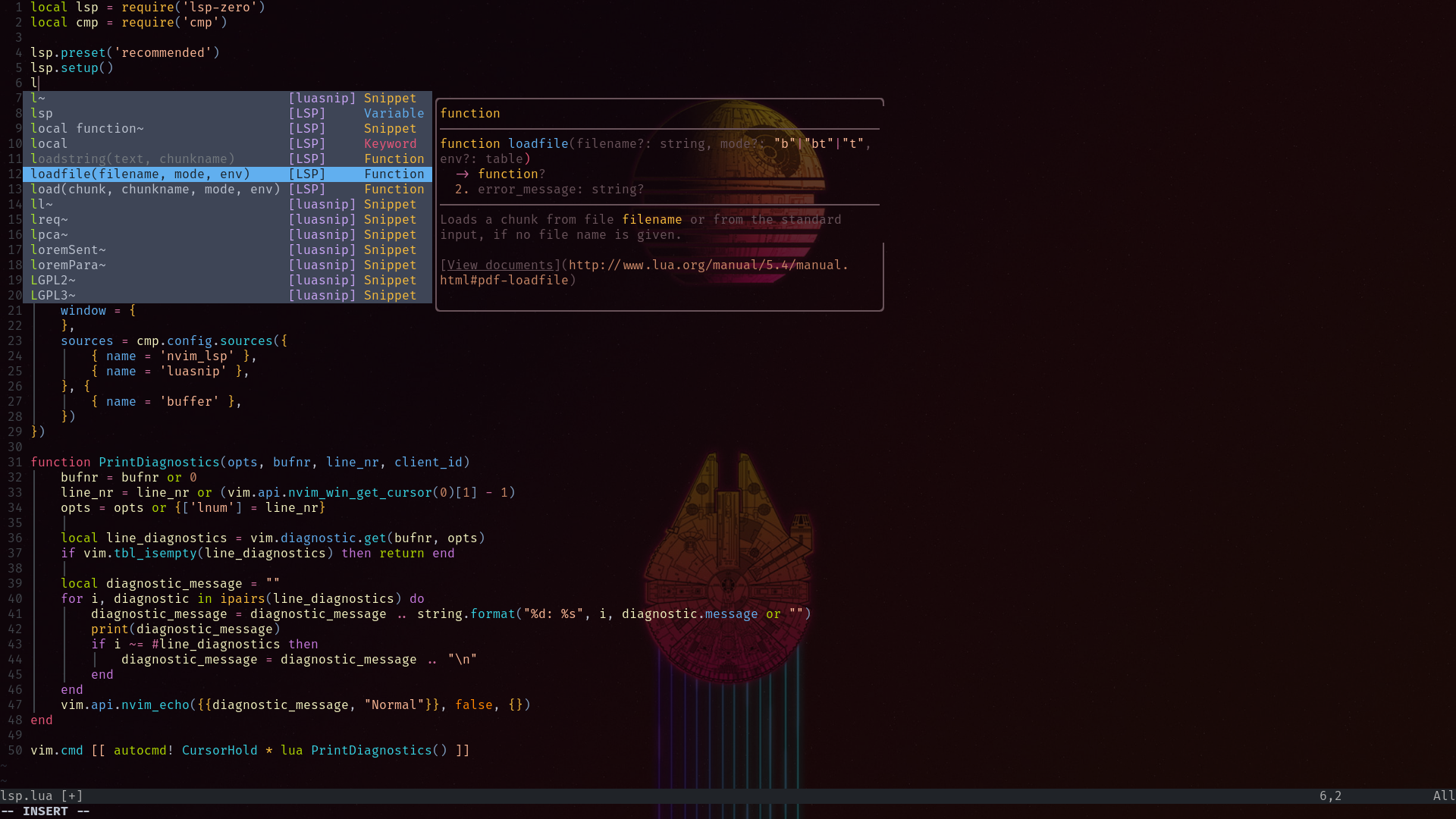 | 3 |  |
| 4 | 4 | ||
| 5 | ### Features | 5 | ### Features |
| 6 | The main goal of this config is being robust and as lightweight as possible. Nothing fancy, just minimum setup for ide-like(ish) experience. | ||
| 6 | ### Installation | 7 | ### Installation |
| 7 | 8 | ||
| 8 | Run checkhealth in your nvim to satisfy it's requirements | 9 | Run checkhealth before cloning my setup |
| 9 | 10 | ||
| 10 | ```vim | 11 | ```vim |
| 11 | :checkhealth | 12 | :checkhealth |
| 12 | ``` | 13 | ``` |
| 13 | 14 | Then clone this repo to your .config folder, open neovim and wait till installation is over. | |
| 14 | Make sure you analyzed the output properly: | ||
| 15 | |||
| 16 | - Your neovim must be >= 0.7.0 to run this config | ||
| 17 | |||
| 18 | ### Installation | ||
| 19 | |||
| 20 | > Easy way | ||
| 21 | |||
| 22 | You can just clone this repo to your .config folder | ||
| 23 | 15 | ||
| 24 | ```bash | 16 | ```bash |
| 25 | git clone https://codeberg.org/philw/nvim ~/.config | 17 | git clone https://codeberg.org/philw/nvim ~/.config |
| 26 | ``` | 18 | ``` |
| 27 | 19 | After the installation it may require a restart so it can load colorscheme properly | |
| 28 | > My way | ||
| 29 | |||
| 30 | I use [gnu-stow](https://www.gnu.org/software/stow/) to manage my [dotfiles](https://codeberg.org/philw/rice), so I encourage you to use it too. | ||
| 31 | |||
| 32 | Use your package manage of choice to get stow, for example: | ||
| 33 | |||
| 34 | ```bash | ||
| 35 | paru -S stow | ||
| 36 | ``` | ||
| 37 | |||
| 38 | Clone this repo to your prefered dir and use stow to symlink | ||
| 39 | |||
| 40 | In order to do this you need an empty nvim directory in your .config folder | ||
| 41 | |||
| 42 | ```bash | ||
| 43 | cd ~/.config | ||
| 44 | mkdir nvim | ||
| 45 | cd ~/dir | ||
| 46 | git clone https://codeberg.org/philw/nvim | ||
| 47 | stow -d ~/dir -t ~/.config/nvim nvim/ | ||
| 48 | |||
| 49 | ``` | ||
| 50 | Or use my [script](https://codeberg.org/philw/scripts) | ||
| 51 | |||
| 52 | Everything should set up automatically. There is no need for additional setup(if there is report an error). | ||
| 53 | |||
| 54 | ```bash | ||
| 55 | :TSUpdate | ||
| 56 | ``` | ||
| 57 | |||
| 58 | ```bash | ||
| 59 | :TSInstall | ||
| 60 | ``` | ||
| 61 | |||
| 62 | ### Further development | 20 | ### Further development |
| 63 | 21 | ||
| 64 | This is the only text editor on my system, so I'll be adding updates as long as I find something better(not gonna happen soon) | 22 | After many years, this is the only text editor on my system, so I'll be adding updates as long as I find something better(not gonna happen soon). |
| 23 | |||
| 24 | ### Documentation | ||
| 25 | |||
| 26 | ## Global Settings | ||
| 27 | |||
| 28 | ### Editor settings | ||
| 29 | - `nu = true`: Show line numbers. | ||
| 30 | - `tabstop = 2`: Set the width of a tab to 2 spaces. | ||
| 31 | - `softtabstop = 2`: Number of spaces that a tab character counts for during editing. | ||
| 32 | - `shiftwidth = 2`: Number of spaces to use for auto-indentation. | ||
| 33 | - `expandtab = true`: Convert tabs to spaces. | ||
| 34 | - `smartindent = true`: Automatically indent new lines based on the syntax. | ||
| 35 | - `ruler = false`: Hide the ruler (status bar showing line and column position). | ||
| 36 | - `wrap = false`: Disable line wrapping. | ||
| 37 | - `swapfile = false`: Disable the creation of swap files. | ||
| 38 | - `hlsearch = false`: Disable highlighting of search matches. | ||
| 39 | - `incsearch = true`: Enable incremental search. | ||
| 40 | - `updatetime = 50`: Set the update time for asynchronous operations like completions. | ||
| 41 | - `laststatus = 0`: Hide the status line. | ||
| 42 | - `signcolumn = "number"`: Display line numbers in the sign column. | ||
| 43 | - `autoindent = true`: Enable automatic indentation. | ||
| 44 | - `clipboard = "unnamedplus"`: Use the system clipboard for copy-pasting. | ||
| 45 | - `termguicolors = true`: Enable 24-bit RGB color support in the terminal. | ||
| 46 | - `fillchars = "eob: "`: Customize end-of-buffer character. | ||
| 47 | - `lazyredraw = false`: Disable lazy redrawing for smoother experience. | ||
| 48 | - `timeoutlen = 500`: Set timeout for key sequences to 500ms. | ||
| 49 | - `netrw_banner = 0`: Disable Netrw banner. | ||
| 50 | - `netrw_liststyle = 3`: Use a tree-style layout for Netrw. | ||
| 51 | - `netrw_altv = 0`: Disable vertical splits for Netrw. | ||
| 52 | - `netrw_winsize = 25`: Set Netrw window size. | ||
| 53 | - `netrw_browse_split = 4`: Open Netrw in a horizontal split. | ||
| 54 | - `rustfmt_autosave = 1`: Enable automatic formatting for Rust files using rustfmt. | ||
| 55 | - `mkdp_auto_start = 1`: Automatically start Markdown Preview (for `mkdp`). | ||
| 56 | - `vimtex_view_method = "zathura"`: Set PDF viewer to `zathura` for LaTeX files. | ||
| 57 | - `vimtex_compiler_method = "latexmk"`: Use `latexmk` for compiling LaTeX files. | ||
| 58 | - `vimtex_quickfix_mode = 0`: Disable quickfix window for VimTeX. | ||
| 59 | - `tex_conceal = "abdmg"`: Enable automatic concealment of LaTeX formatting. | ||
| 60 | - `tex_flavor = "latex"`: Set the flavor of TeX to LaTeX. | ||
| 61 | - `gitgutter_set_sign_backgrounds = 1`: Enable background color for GitGutter signs. | ||
| 62 | |||
| 63 | ## Auto Commands and custom functions (`api.nvim_create_autocmd`) | ||
| 64 | |||
| 65 | ### Format on Save | ||
| 66 | - Formats the buffer using `vim.lsp.buf.format` before saving any file. | ||
| 67 | |||
| 68 | ### Run Prettier and Compile LaTeX on Save | ||
| 69 | - For JavaScript, TypeScript, CSS, HTML, YAML, Markdown, and JSON files, Prettier is run automatically after saving. Yes, I could use lsp features here but in my case this is the bulletproof setup. | ||
| 70 | - For LaTeX files (`*.tex`), `VimtexCompile` is triggered upon saving to compile the document.(bugged af) | ||
| 71 | |||
| 72 | You can add anything you want. Just make sure it's on your system. | ||
| 73 | |||
| 74 | ### Auto-delete Netrw Hidden Buffers | ||
| 75 | - Automatically deletes hidden buffers when opening a Netrw window. This is quite helpful for the ToggleVExplorer function. | ||
| 76 | |||
| 77 | ### `ToggleVExplorer` | ||
| 78 | - Toggles the VExplorer window in Neovim. | ||
| 79 | - If the window is already open, it will be closed; if it is closed, it will be opened in the first window. | ||
| 80 | |||
| 81 | ## Plugin Management (`require("lazy").setup`) | ||
| 82 | |||
| 83 | The configuration uses **Lazy.nvim** for plugin management. I've tried them all. This works the best for me. | ||
| 84 | |||
| 85 | - **`airblade/vim-gitgutter`**: Displays Git changes in the gutter (added, modified, deleted lines). | ||
| 86 | - **`lervag/vimtex`**: Provides LaTeX support, including features like auto-compiling and PDF viewing. | ||
| 87 | - **`norcalli/nvim-colorizer.lua`**: Highlights color codes in files. | ||
| 88 | - **`nvim-treesitter/nvim-treesitter`**: Provides better syntax highlighting and tree-sitter integration. | ||
| 89 | - **`neovim/nvim-lspconfig`**: Set up language servers for autocompletion and LSP features. | ||
| 90 | - **`ms-jpq/coq_nvim`**: Provides autocompletion with COQ (a Neovim completion plugin). | ||
| 91 | - **`nvim-telescope/telescope.nvim`**: A fuzzy finder plugin for file searching and navigation. | ||
| 92 | - **`windwp/nvim-autopairs`**: Automatically closes pairs of parentheses, brackets, etc. | ||
| 93 | |||
| 94 | ## LSP (Language Server Protocol) Configuration | ||
| 95 | |||
| 96 | ### Rust Configuration (`rust_analyzer`) | ||
| 97 | - Configures `rust_analyzer` with specific settings: | ||
| 98 | - `imports.granularity.group = "module"`: Organizes imports by module. | ||
| 99 | - `cargo.buildScripts.enable = true`: Enable build script support for Cargo. | ||
| 100 | - `procMacro.enable = true`: Enable procedural macro support. | ||
| 101 | |||
| 102 | Each language server is set up using `lspconfig`, and the configuration is ensured with `coq` autocompletion. | ||
| 103 | |||
| 104 | ### Mason Setup | ||
| 105 | - **`mason.nvim`**: Automatically installs LSP servers(currently just rust_analyzer) and other tools. | ||
| 106 | |||
| 107 | ## Key Mappings (`keymap.set`) | ||
| 108 | |||
| 109 | - **`<leader>e`**: Toggle the VExplorer window. | ||
| 110 | - **`<leader>z`**: Search and replace the word under the cursor in the entire buffer. | ||
| 111 | - **`<leader>a`**: Select the entire buffer. | ||
| 112 | - **`<leader>y`**: Replace the current line with `cc` (change the line). | ||
| 113 | - **`<C-c>`**: Yank the current line to the clipboard. | ||
| 114 | - **`<C-v>`**: Paste from the clipboard. | ||
| 115 | - **`<C-z>`**: Undo the last change. | ||
| 116 | - **`J` and `K`**: Speed up moving the selected text block down or up in visual mode. | ||
| 117 | - **`<leader>f`**: Open Telescope's file finder. | ||
| 118 | - **`<leader>g`**: Open Telescope's live grep search. | ||
| 119 | - **`<leader>d`**: Go to definition (LSP feature). | ||
| 120 | - **`<leader>k`**: Show hover information (LSP feature). | ||