
diff options
Diffstat (limited to 'README.md')
| -rw-r--r-- | README.md | 41 |
1 files changed, 10 insertions, 31 deletions
| @@ -2,9 +2,10 @@ | |||
| 2 | 2 | ||
| 3 | 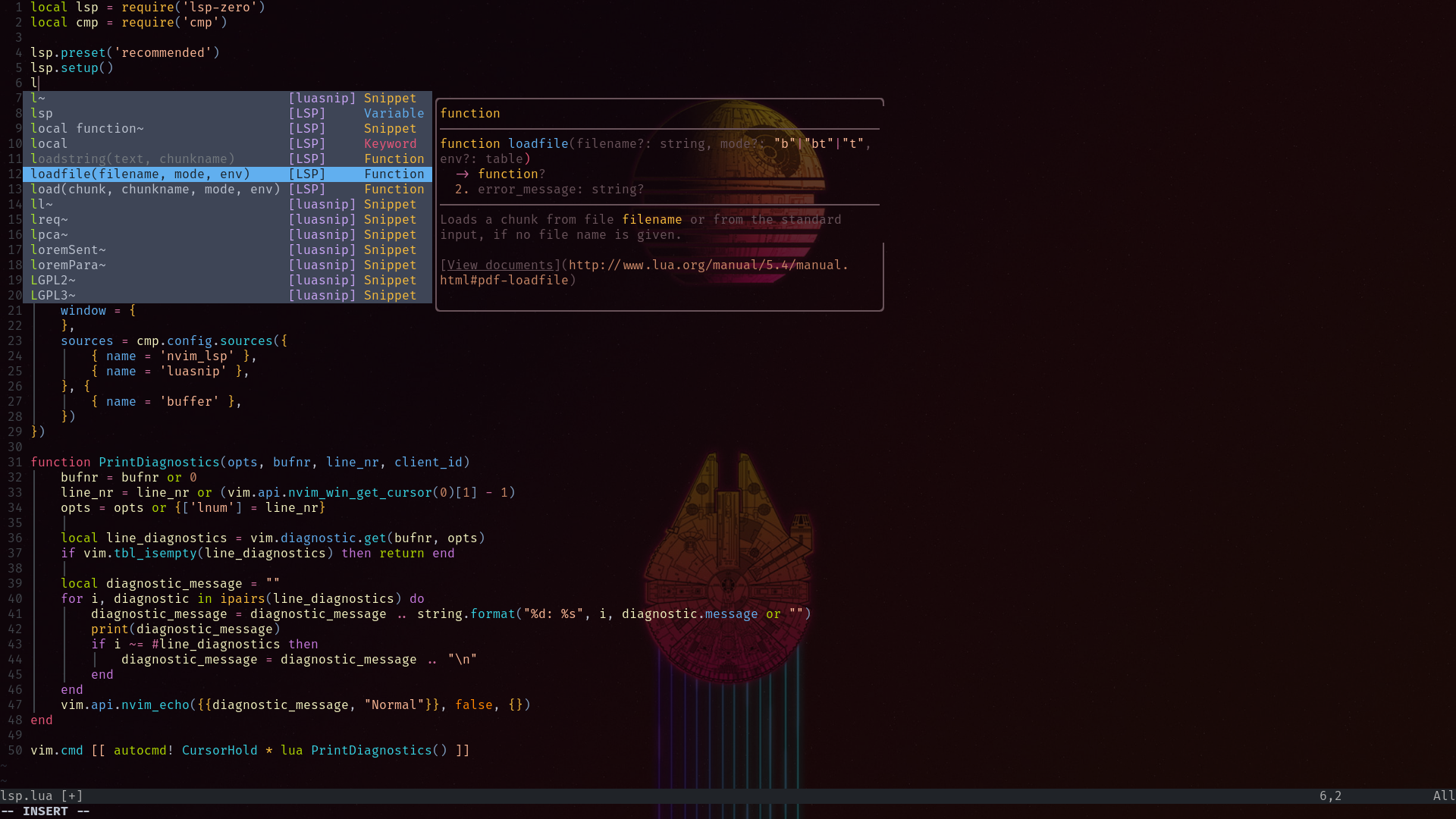 | 3 |  |
| 4 | 4 | ||
| 5 | ### Features | ||
| 5 | ### Installation | 6 | ### Installation |
| 6 | 7 | ||
| 7 | Run checkhealth in your Neovim | 8 | Run checkhealth in your nvim to satisfy it's requirements |
| 8 | 9 | ||
| 9 | ```vim | 10 | ```vim |
| 10 | :checkhealth | 11 | :checkhealth |
| @@ -13,20 +14,6 @@ Run checkhealth in your Neovim | |||
| 13 | Make sure you analyzed the output properly: | 14 | Make sure you analyzed the output properly: |
| 14 | 15 | ||
| 15 | - Your neovim must be >= 0.7.0 to run this config | 16 | - Your neovim must be >= 0.7.0 to run this config |
| 16 | - You need to setup [Packer](https://github.com/wbthomason/packer.nvim) | ||
| 17 | |||
| 18 | ```vim | ||
| 19 | git clone --depth 1 https://github.com/wbthomason/packer.nvim\ | ||
| 20 | ~/.local/share/nvim/site/pack/packer/start/packer.nvim | ||
| 21 | ``` | ||
| 22 | |||
| 23 | - You should install global python provider | ||
| 24 | |||
| 25 | ```python | ||
| 26 | pip install pynvim | ||
| 27 | ``` | ||
| 28 | |||
| 29 | - You should install clipboard tool (I use xclip but you can use something diffrent) | ||
| 30 | 17 | ||
| 31 | ### Installation | 18 | ### Installation |
| 32 | 19 | ||
| @@ -35,12 +22,12 @@ pip install pynvim | |||
| 35 | You can just clone this repo to your .config folder | 22 | You can just clone this repo to your .config folder |
| 36 | 23 | ||
| 37 | ```bash | 24 | ```bash |
| 38 | git clone https://github.com/dsrcr/nvim ~/.config | 25 | git clone https://codeberg.org/philw/nvim ~/.config |
| 39 | ``` | 26 | ``` |
| 40 | 27 | ||
| 41 | > Recommended way | 28 | > My way |
| 42 | 29 | ||
| 43 | I use gnu-stow to manage my dotfiles, so I encourage you to use it too. | 30 | I use [gnu-stow](https://www.gnu.org/software/stow/) to manage my [dotfiles](https://codeberg.org/philw/rice), so I encourage you to use it too. |
| 44 | 31 | ||
| 45 | Use your package manage of choice to get stow, for example: | 32 | Use your package manage of choice to get stow, for example: |
| 46 | 33 | ||
| @@ -55,22 +42,14 @@ In order to do this you need an empty nvim directory in your .config folder | |||
| 55 | ```bash | 42 | ```bash |
| 56 | cd ~/.config | 43 | cd ~/.config |
| 57 | mkdir nvim | 44 | mkdir nvim |
| 58 | cd ~/yourDirectory | 45 | cd ~/dir |
| 59 | git clone https://github.com/dsrcr/nvim | 46 | git clone https://codeberg.org/philw/nvim |
| 60 | stow -d ~/yourDirectory -t ~/.config/nvim nvim/ | 47 | stow -d ~/dir -t ~/.config/nvim nvim/ |
| 61 | |||
| 62 | ``` | ||
| 63 | 48 | ||
| 64 | The last step is running this command in your neovim | ||
| 65 | |||
| 66 | ```vim | ||
| 67 | :PackerSync | ||
| 68 | ``` | 49 | ``` |
| 50 | Or use my [script](https://codeberg.org/philw/scripts) | ||
| 69 | 51 | ||
| 70 | This command should pull everything you need | 52 | Everything should set up automatically. There is no need for additional setup(if there is report an error). |
| 71 | |||
| 72 | In the next step you will encounter a lot of errors, but don't worry about it. | ||
| 73 | Packer needs to pull specific plugins and then you need to install Treesitter's support for specific filetypes eg. lua, rust.... etc. | ||
| 74 | 53 | ||
| 75 | ```bash | 54 | ```bash |
| 76 | :TSUpdate | 55 | :TSUpdate |